Instructions for Best Results
Follow these guidelines to capture high-quality motion data and get accurate analysis results
Quick Start: 3 Steps to Success
-
Set up your camera
Position camera 2-3 meters away, at waist height, with the subject fully visible in frame -
Optimize lighting & background
Use even lighting, avoid backlighting, and choose a plain, uncluttered background -
Record or upload
Perform the movement naturally, ensuring all body parts remain visible throughout
Camera Setup & Positioning
Optimal Camera Distance
-
Full Body Assessments: Position camera 2-3 meters (6-10 feet) away from the subject. The entire body from head to feet should be visible with some margin around the edges.
-
Hand/Wrist Assessments: Position camera 1-1.5 meters (3-5 feet) away. The hand and forearm should fill approximately 60-80% of the frame.
Camera Height & Angle
-
Height: Position camera at waist to chest height for full body, or at hand level for hand assessments. Avoid extreme high or low angles.
-
Angle: Keep camera perpendicular to the movement plane. For gait analysis, film from the side (sagittal view). For sit-to-stand, film from the front or side.
-
Stability: Use a tripod or stable surface. Avoid handheld recording which can cause camera shake and reduce accuracy.
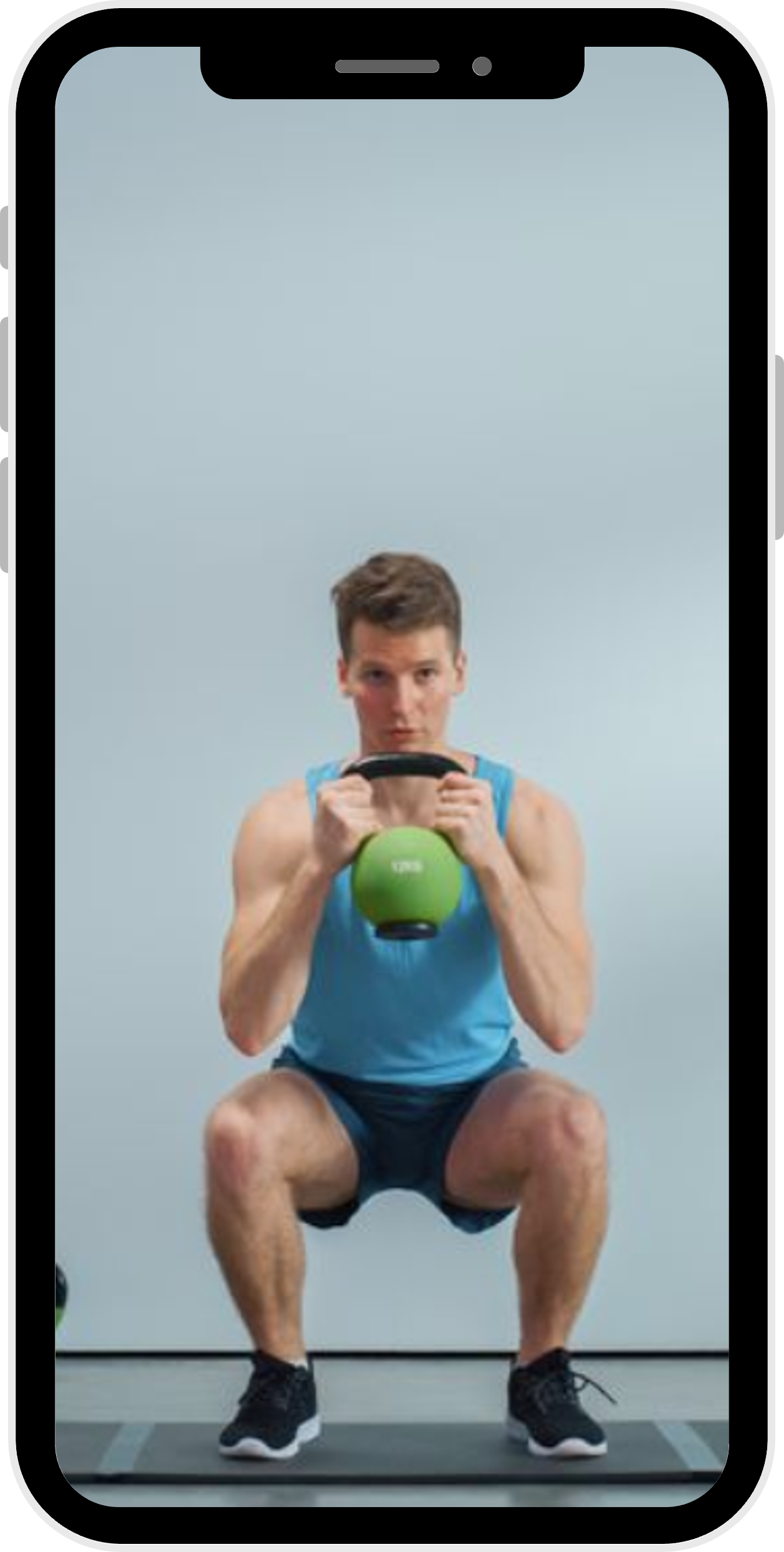
Full body visible, proper distance
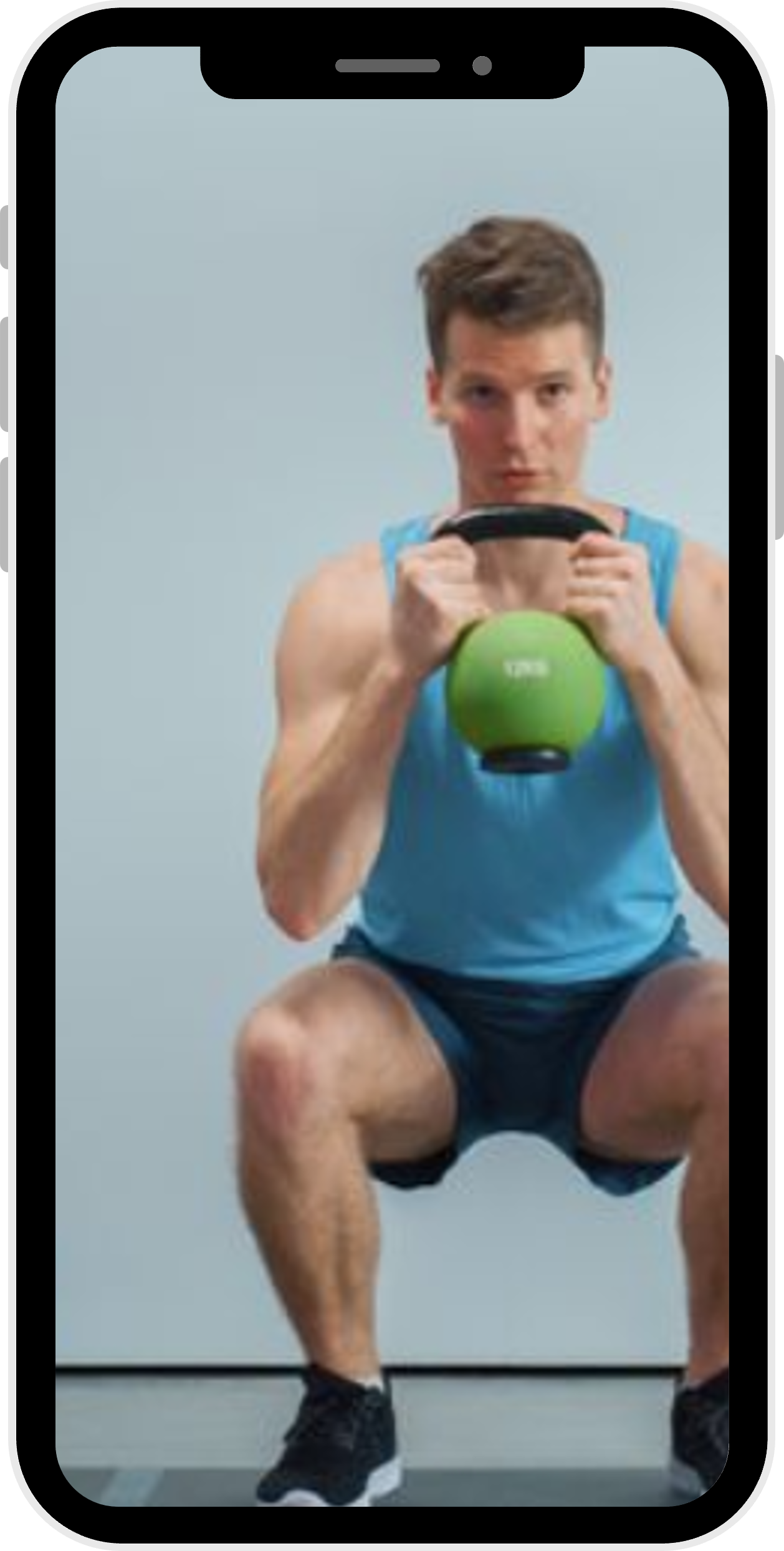
Body parts cut off, too close
Subject Too Small
Subject too small in frame
Lighting & Environment
Optimal Lighting
-
Even, diffuse lighting: Use natural daylight from windows or overhead lighting. Avoid harsh directional lights that create strong shadows.
-
Front or side lighting: Light should come from in front or to the side of the subject, not from behind the subject or camera.
-
Consistent lighting: Ensure lighting doesn't change during recording. Avoid areas with flickering lights or rapidly changing shadows.
Avoid These Common Mistakes
-
Backlighting: Never position the subject in front of a bright window or light source. This creates a silhouette effect and reduces tracking accuracy significantly.
-
Dim lighting: Insufficient light creates grainy video and poor joint detection. If the image looks dark to you, it's too dark for analysis.
-
Mixed lighting: Avoid combining warm and cool lights (e.g., daylight + incandescent). This can cause color imbalances.
Background & Setting
-
Plain background: Use a solid, neutral-colored wall or backdrop (white, gray, beige). Avoid busy patterns, mirrors, or cluttered backgrounds.
-
Clear space: Remove furniture, equipment, or other people from the frame. These can interfere with pose detection.
-
Consistent color: Ensure the subject's clothing contrasts with the background. Avoid wearing colors that match the background.
Clothing & Appearance Guidelines
Recommended Clothing
-
Form-fitting clothing: Wear fitted athletic wear, leggings, shorts, or short-sleeved shirts that clearly show body contours and joint positions.
-
Contrasting colors: Choose clothing that contrasts with your skin tone and the background. This helps the AI distinguish body parts.
-
Visible joints: Ensure shoulders, elbows, knees, and ankles are visible or their position can be clearly inferred through clothing.
Avoid These
-
Baggy or loose clothing: Oversized clothes obscure body contours and make it difficult to track joint positions accurately.
-
Reflective materials: Avoid shiny or reflective fabrics that can cause glare or visual artifacts in the video.
-
Complex patterns: Avoid busy patterns, stripes, or logos that can confuse the pose detection algorithm.
Hair & Accessories
-
Tied-back hair: For full body assessments, tie long hair back to keep shoulders and neck visible.
-
Minimal accessories: Remove hats, scarves, bulky jewelry, or anything that obscures body landmarks.
-
Barefoot preferred: For lower body assessments, perform movements barefoot or in minimal footwear to ensure ankle visibility.
Movement & Performance Tips
General Movement Guidelines
-
Stay in frame: Ensure all relevant body parts remain fully visible throughout the entire movement. Don't let hands, feet, or head go out of frame.
-
Natural movement: Perform movements naturally at your normal pace. Don't slow down or exaggerate movements for the camera.
-
Consistent plane: Stay in the same plane of movement. Don't rotate or turn toward/away from the camera during assessment.
-
No obstructions: Keep arms and legs separated when possible. Avoid crossing limbs in front of each other as this can hide joints.
Specific Assessment Guidelines
Sit-to-Stand
• Use a chair without armrests
• Film from the side
• Rise to full standing position
• Keep feet flat on floor
• Perform 3-5 repetitions
Gait Analysis
• Walk naturally at normal pace
• Film from the side (sagittal)
• Walk perpendicular to camera
• Capture 3-5 complete strides
• Ensure full gait cycle visible
Single Leg Squat
• Film from the front
• Start on both feet
• Lift one leg, squat on other
• Keep knee over toes
• Hold briefly at bottom
Hand/Wrist
• Film from the front or side
• Keep hand in center of frame
• Spread fingers clearly
• Perform movements slowly
• Ensure all fingers visible
Video Quality & Technical Settings
Camera Settings
| Setting | Recommended | Minimum | Notes |
|---|---|---|---|
| Resolution | 1080p (1920×1080) | 720p (1280×720) | Higher resolution = better tracking |
| Frame Rate | 30 fps | 24 fps | 30 fps captures smooth motion |
| Duration | 10-30 seconds | 5 seconds | Capture 3-5 movement cycles |
| File Size | 10-50 MB | Max 100 MB | Platform limit |
| Format | MP4, MOV | Any common video format | MP4 recommended for compatibility |
Video Quality Checklist
-
Sharp focus: Ensure the video is in focus. Blurry video reduces joint detection accuracy significantly.
-
Stable camera: Use a tripod or place camera on a stable surface. Camera shake and movement reduce analysis quality.
-
Adequate recording time: Record long enough to capture 3-5 complete movement cycles. Brief recordings may not provide enough data.
-
Landscape orientation: Hold camera horizontally (landscape) for full body, vertical (portrait) may be used for close-up hand assessments.
Troubleshooting Common Issues
Poor Joint Detection
Symptoms: Missing keypoints, erratic skeleton overlay, no results displayed
Solutions:
- Improve lighting - add more light sources or move to a brighter area
- Move camera closer or farther to optimize framing
- Change background to a plain, solid color
- Wear more form-fitting, contrasting clothing
- Ensure all body parts stay visible throughout movement
Inaccurate Angle Measurements
Symptoms: Joint angles seem incorrect, asymmetry values are unexpectedly high
Solutions:
- Film from the correct angle (side view for gait, front for squats)
- Keep camera perpendicular to movement plane
- Avoid camera tilt or rotation
- Ensure subject doesn't rotate toward/away from camera
Video Analysis Fails or Errors
Symptoms: Analysis doesn't complete, error messages, frozen progress bar
Solutions:
- Check file size - must be under 100MB
- Try a different browser (Chrome recommended)
- Close other browser tabs to free up memory
- Ensure stable internet connection for loading AI models
- Refresh the page and try again
Privacy & Ethical Considerations
Before Recording
-
Obtain consent: Always obtain informed consent before recording anyone. Explain how the video will be used and that analysis is done locally.
-
Protect identity: Consider de-identifying videos by filming from angles that don't show faces, or having subjects wear neutral clothing.
-
Secure storage: Remember that while EZCap doesn't store your videos, any downloads you save are your responsibility to secure.
Privacy Guarantee
Your videos are NEVER uploaded or stored. All video analysis happens locally in your web browser using client-side AI. When you close the browser, all video data is permanently discarded. Learn more about our privacy policy →
Ready to Get Started?
Follow these guidelines for the best motion analysis results
Questions? Contact our support team